Using the Namalysator > Calendar
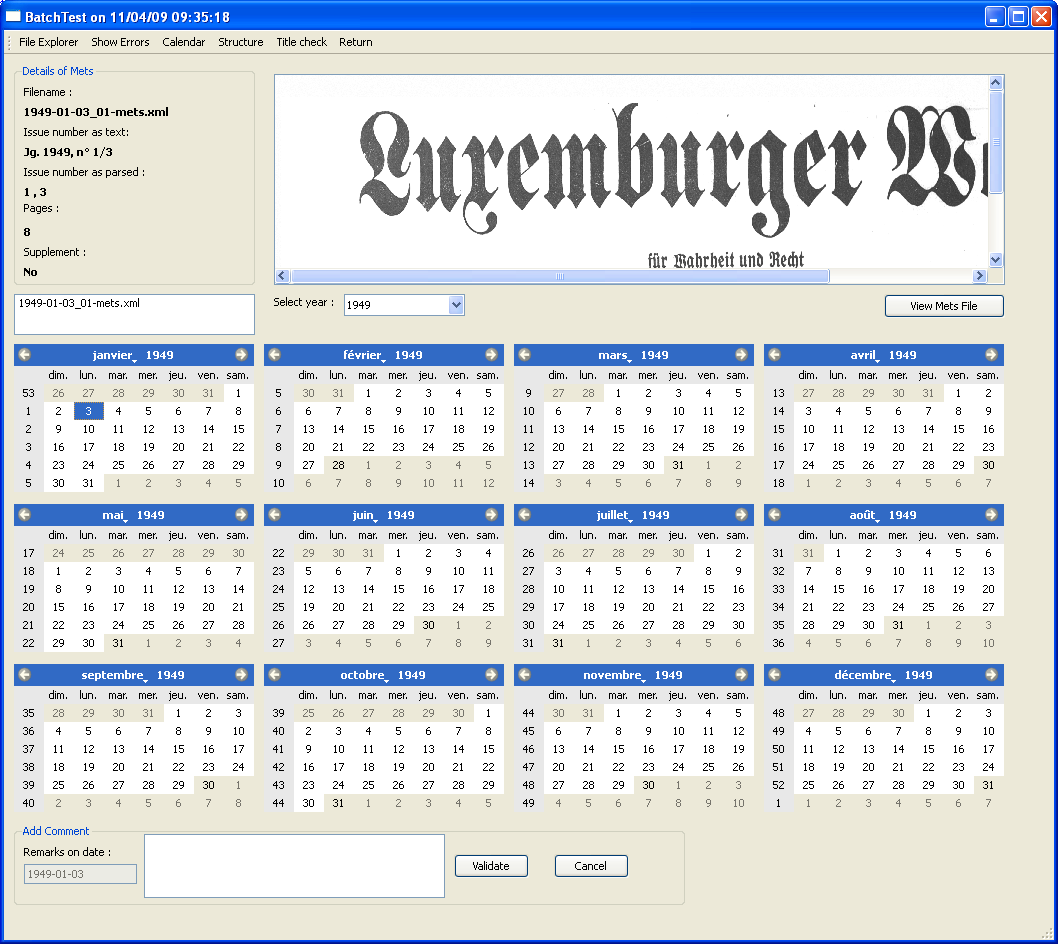
This page shows a calendar of the different years that are present in the METS files that were tested. Its main use is to verify the completeness of the collection. On the bottom is a display of a whole year. The different colours mean the following:
When you click on a date, the top part of the first page will become visible on the top right. This image lets you check the issue number as it was printed on the page at the time.
The combobox below lets you switch to a different year.
At the bottom of the screen, you can add comments on a specific date. These comments are stored in the database so that you can store text explaining the origins of problems
Using the Namalysator > Calendar