The namalysator is an interactive tool for analysing the output of the metsverifier, to do sampling for quality assurance and to generally browse the contents of a batch. It works with a database generated by the metsverifier, so in order to get started, you should have generated a test of a batch with the metsverifier already.
The latest version of this documentation can be found at:
http://downloads.bnl.lu/code/metsanalyser/doc/namalysator-main.html
The following files should be included in your distribution:
This program is licensed under GPL v2.
It has been developped by Nam Dang (nam dot dang at bnl dot etat dot lu) at the National Library of Luxembourg in 2009.
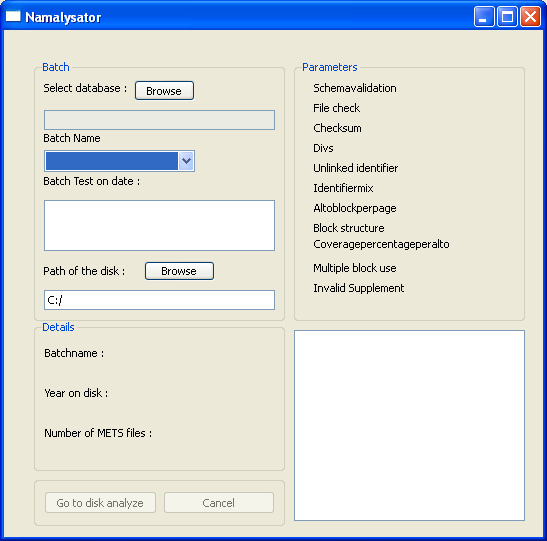
This is the first screen you see when the program starts up. Here you first select a database generated with the metsverifier. When you have selected a database, you will see additional information about the database. First of all, you have a combobox (Batch Name) where you can select the batch you would like to analyse. Then, if you have tested this batch more than once, in the list box below you can select the date of the test that you'd like to check.
The "Path of disk" parameter allows you to specify to which drive the disk containing the original METS/ALTO and image files is attached. This is especially useful if you are working with network shares that are different on different computers or with external hard drives.
The details group shows you some general information about the test run, including the dates inside the METS objects of the files you have tested. This gives you an instant overview on which kind of data was tested in this batch.
The Parameters section on the right hand side tells you what checks you had turned on in the metsverifier when you made the test run.
The Error table gives you an overview of how many errors are present in this batch and what kind of errors they are.
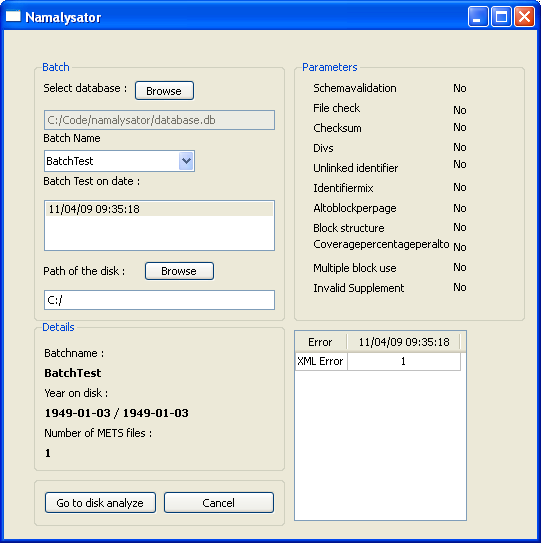
In order to continue, you need to press the "Go to disk analyze" button.
Using the Namalysator